AI Modernisation (AIM)

AI Modernisation with Webswing

AI Modernisation with Webswing

​Give your legacy desktop application a modern web interface. AIM uses AI agents to build and test the screens you choose, using the application logic you already trust. Webswing runs original and modernised screens together in the browser.

Why modernise with AIM

Your desktop application holds years of business rules, integrations and operational knowledge. Give users a better way to use it while keeping that investment at work.

web

Keep your business logic

Change how the software looks and how users access it.

AIM builds web interfaces around the rules and integrations you already rely on. Your existing application continues to do the work.

trending_up

Move faster at scale

Reuse approved work as you modernise more of the application.

Agents handle recurring coding and testing. Larger applications offer more opportunities to reuse components and patterns, which can shorten delivery and lower engineering costs.

fact_check

Stay consistent

Give every agent the same standards for design and behaviour.

Agents use shared components and project decisions across modules. Tests check behavioural equivalence, such as whether a search or approval produces the expected result in the new interface.

verified_user

Control where AI runs

Choose cloud AI or run the agents and model on your own hardware.

Use compatible models from providers such as OpenAI or Anthropic, including Claude. A fully on-premises setup processes source context inside your environment.

Modernise at your own pace

Roll out new web screens alongside the original desktop interface. Your team can work from one application codebase, modernise module by module and plan each release around your operations, budget and capacity.

How it works

Your team sets the scope, the interface standards and the release schedule. AIM’s agents implement the change, test it against the behaviour you expect and refine the result.

  1. Connect

    Open your source repository in AIM and add the web components you want to reuse. AIM maps the application and can derive new components from your existing patterns.

  2. Decide

    Choose a screen, menu or module from the application map. Tell AIM what should change and how you expect the new interface to behave.

  3. Run

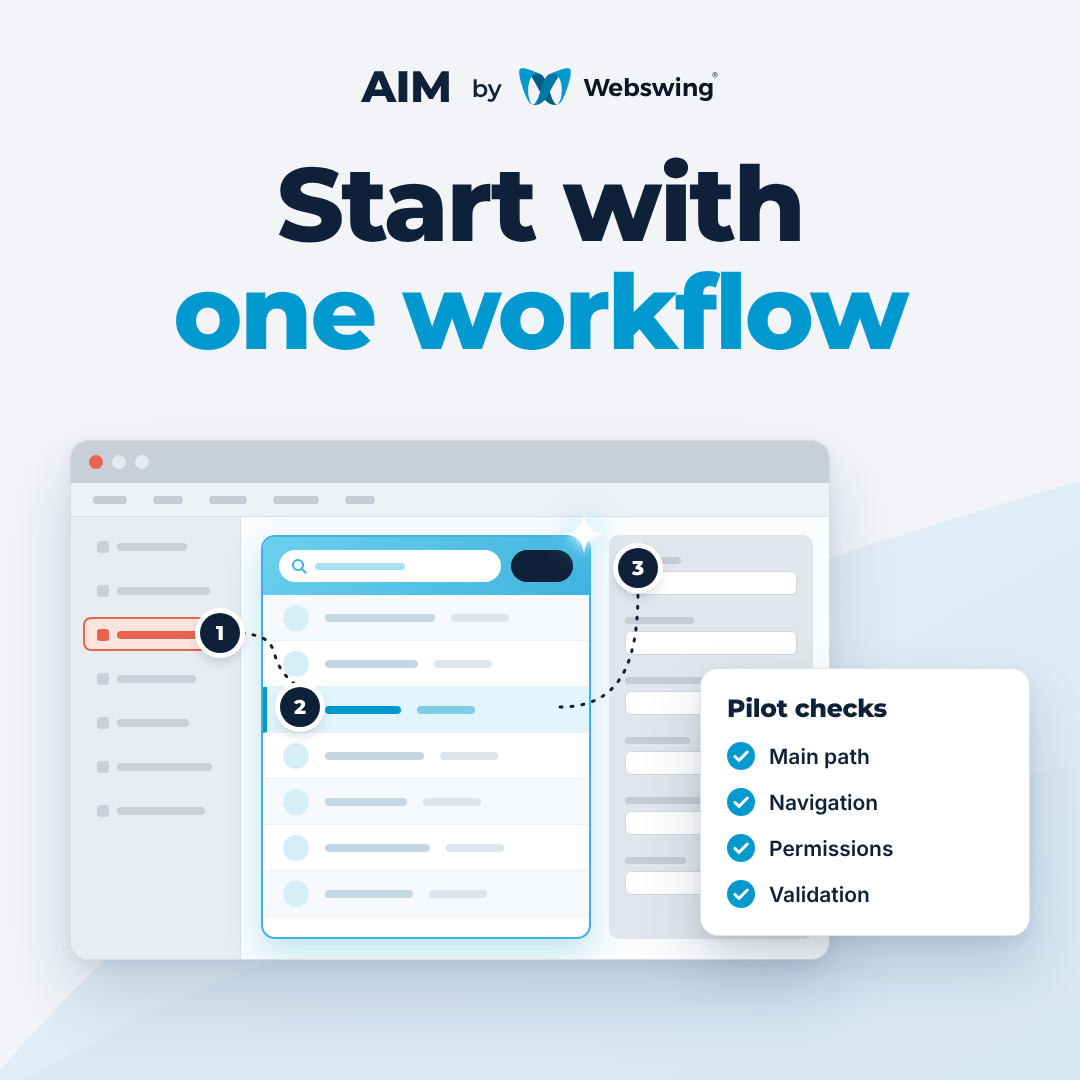
    Launch the result in Webswing. Check the modernised screen alongside the original and decide when to release it.
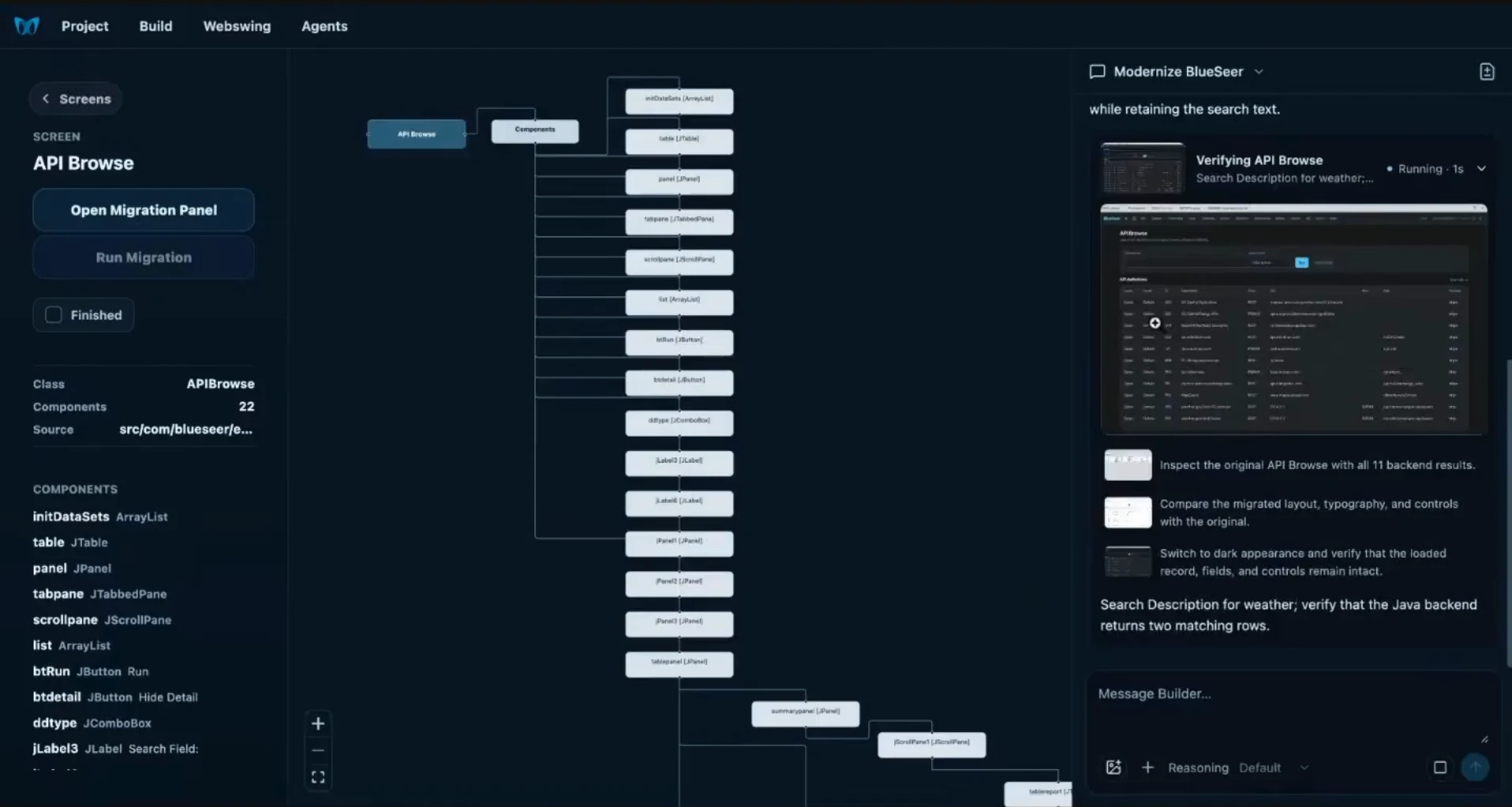
AIM’s workspace showing the selected API Browse screen, a map of its components and an agent verifying the migration.
Selected screen API Browse Component map Desktop controls Agent workspace Migration checks
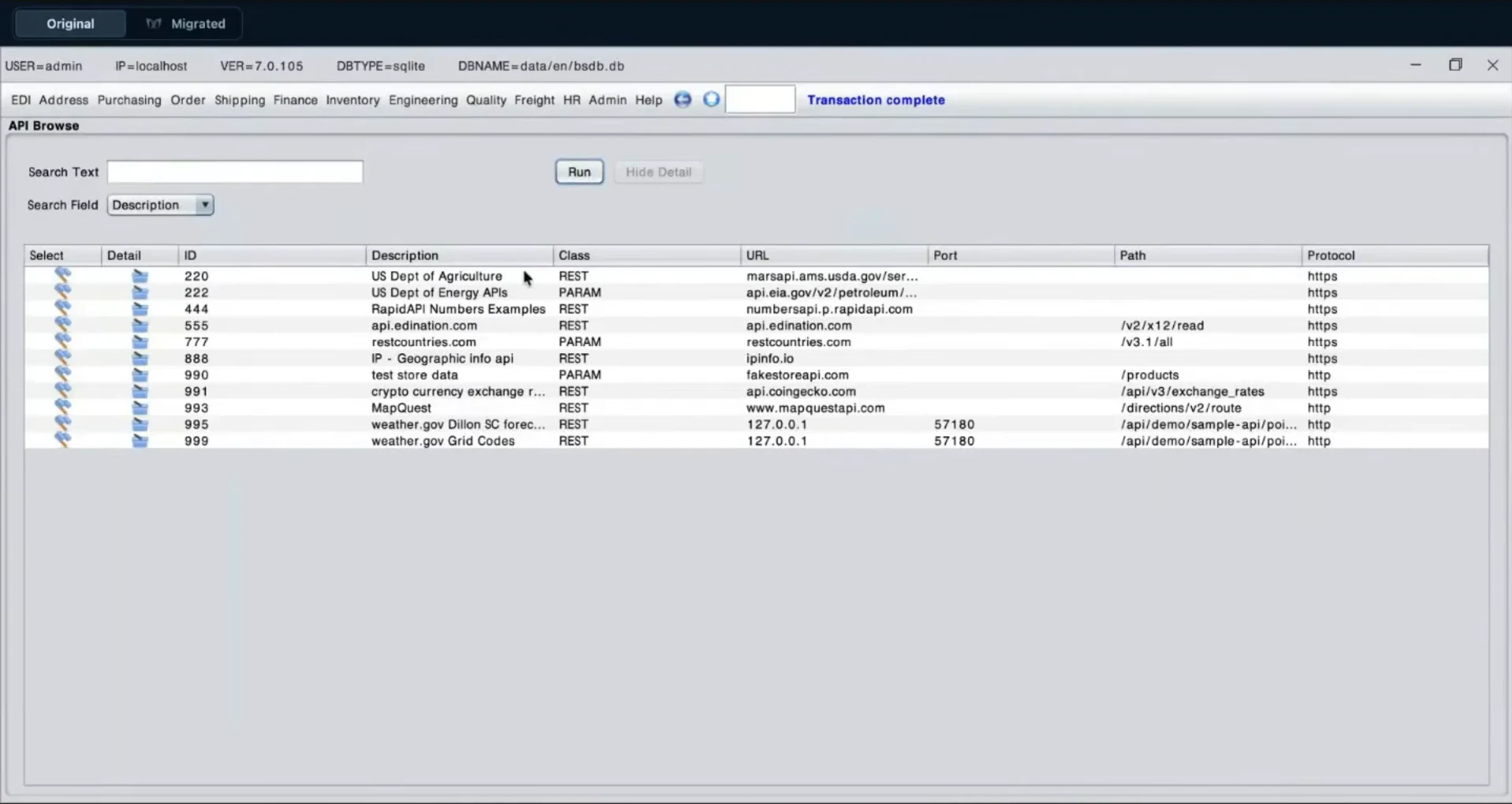
Original BlueSeer API Browse desktop screen with search controls and results.
Original desktop screen
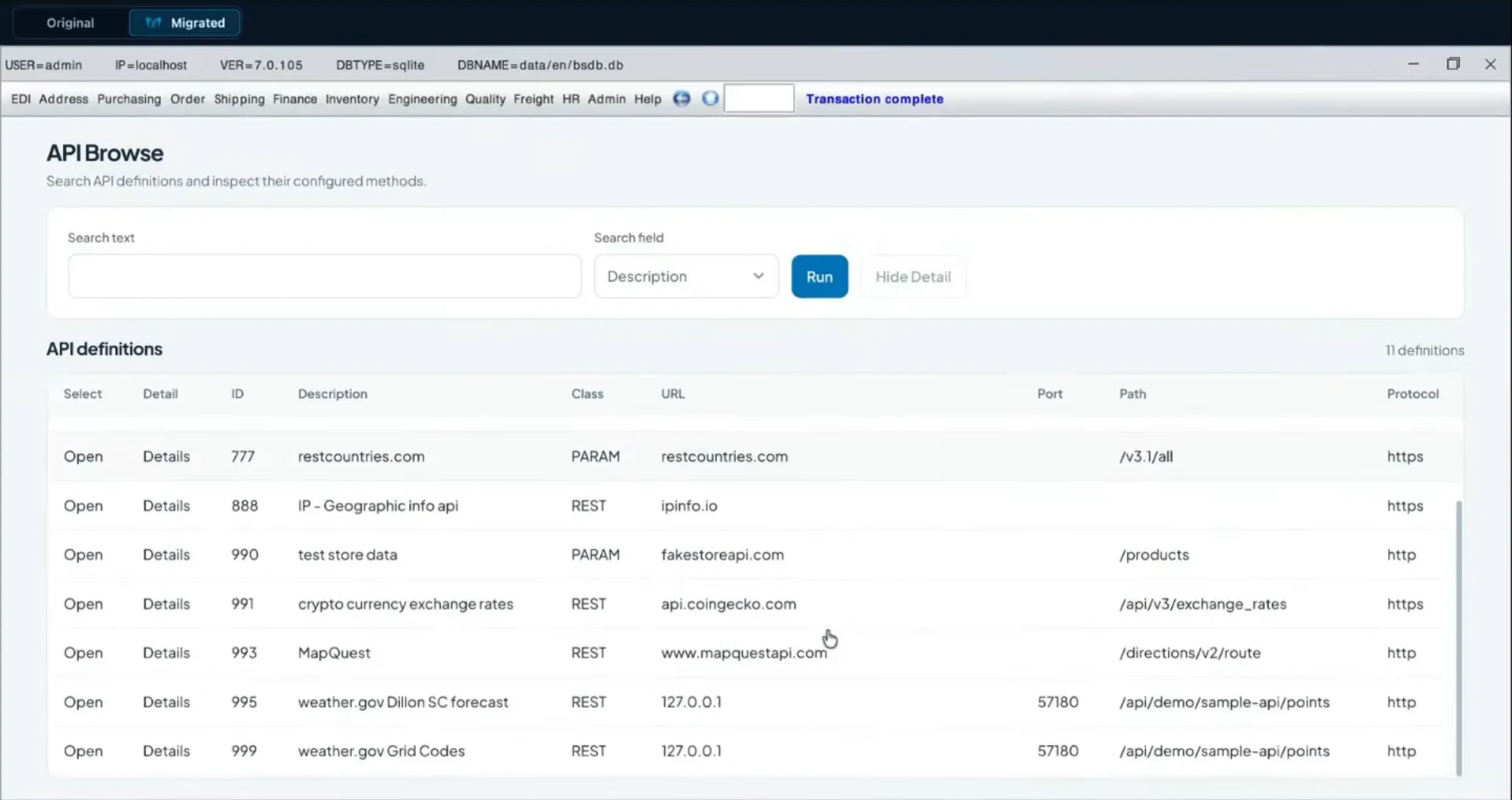
Modernised BlueSeer API Browse web screen showing search controls and a redesigned results table.
Modernised web screen

Inside the modernisation pipeline

Once you choose a screen, AIM’s agents work through a cycle of development, testing and review.
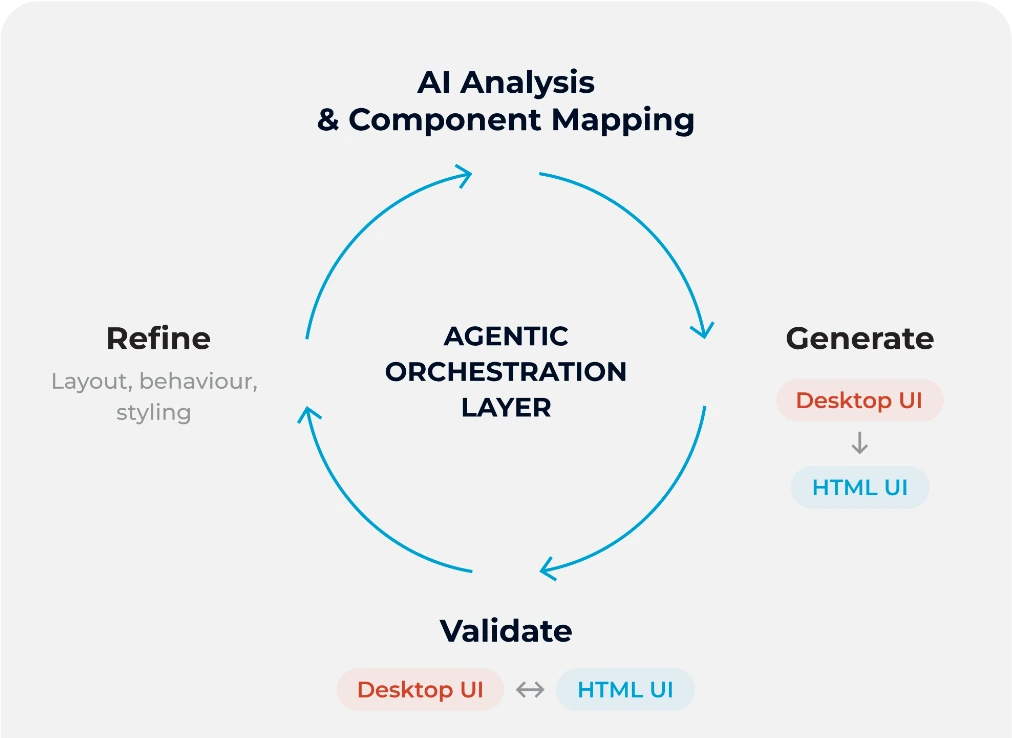
AIM’s agentic orchestration loop moves through component analysis, generation, validation and refinement.
Analyse
Map the desktop controls, actions and dependencies in the selected screen.
Generate
Build the web screen with your components and connect it to the existing application logic.
Validate
Write and run tests to compare how the original and modernised screens behave.
Refine
Use the test results and review feedback to improve the implementation, then check it again.

See AIM in action

See AIM modernise a search screen and the main navigation in BlueSeer, an open-source desktop ERP. The new web interface works alongside the original screens and returns results from the existing application.

Watch on YouTube

Who AIM is for

AIM is for teams that run large desktop applications that still do critical work and want a better web experience for the people who rely on them.

business_center

Enterprise IT teams

Modernise critical systems while keeping them in service.

A fit for teams responsible for long-lived desktop software in sectors like banking, energy and industrial operations. Plan each change around how the business runs.

code

Software vendors

Give customers a web interface for the product they already rely on.

Introduce web screens alongside your desktop product. Use customer feedback from each release to decide where to invest next.

Ready to modernise your legacy desktop application?

AIM is currently in preview. Book a live demo to see it work on an existing application and discuss how you could start with yours.
Read more about AIM

AI Modernisation with Webswing: Modernise Your Swing Application, Screen by Screen
Business

AI Modernisation with Webswing: Modernise Your Swing Application, Screen by Screen

Give the Swing screens your users rely on a modern web interface. Discover how AIM helps your developers use AI while building on the Java a…
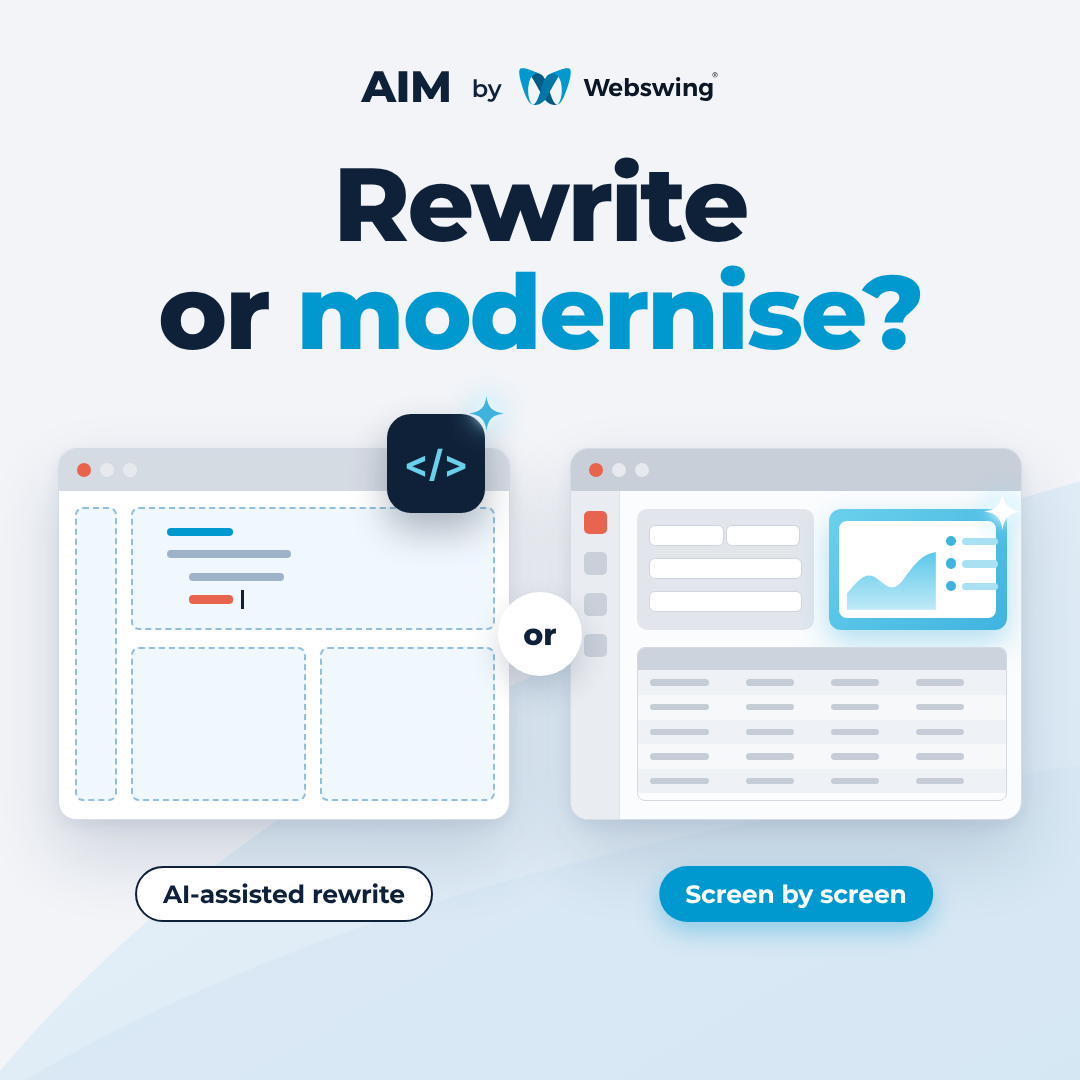
AI-Assisted Rewrite or Incremental Swing Modernisation?
Business

AI-Assisted Rewrite or Incremental Swing Modernisation?

Should you use AI to rewrite your Swing application or modernise it workflow by workflow? Start with what needs to change, where your busine…
Your First Swing Modernisation Pilot
Business

Your First Swing Modernisation Pilot

What can one Swing workflow tell you about modernising an entire application? Here’s how to pick the first screen, connect it to the running…

Quick FAQ

What changes in the application?

AIM generates editable web interfaces and the integration code that connects them to the existing application. The application continues to run the business logic. Webswing lets users work with the original and modernised screens in the same application.

See the modernised interface in action

What does AIM add to a coding assistant?

AIM gives the agents a map of the application, a defined scope and your shared components. It carries project decisions into later migrations and coordinates development, review and validation so your team can check results consistently across modules.

See how AIM manages a migration

Where is our source code processed?

AIM sends the source context needed for the migration to the model endpoint your team configures. You can choose an approved cloud provider or run the agents and model on your own infrastructure. Agree how source, test data and any screenshots used for visual checks should be handled as part of that setup.

Discuss your deployment requirements

Does the AI run when people use the application?

AI assists the modernisation work. Once the application is running in Webswing, normal user actions go through the existing application and its logic.

Watch the application run in Webswing

How do we assess AIM for our application?

In a live demo, we can look at the technology your application runs on, how it is built and how you would like to deploy it. From there we can identify a useful starting point and what your team would want to verify.

Book a live demo

OR READ OUR FAQ