Linux Apps

Linux Apps & Webswing

Linux Apps & Webswing

Bring your Linux desktop applications to the browser. Keep the software your users rely on, run it on infrastructure you control, and make it easier to access without a rewrite.

Why Webswing for Linux apps

Your Linux application already has value. Webswing helps you bring it to more users through a browser, while keeping the code, functionality and deployment environment your team depends on.
public

Easy browser access

Users reach your Linux application through a familiar browser. The software and its Linux runtime stay on the server, so there is no application installation to manage on each user’s device.

code

Keep what you have built

Your application keeps the code and functionality you have invested in. Your team can continue developing it while customers gain a new way to access the software.
dns

A deployment you control

You choose where Webswing runs: on your own servers, in a private cloud or with your preferred cloud provider. The application runtime stays within the infrastructure you manage.
desktop_windows

A familiar experience

Users can stay with the interface they already know. The application keeps its native appearance in the browser, so there is very little to relearn when access changes.

A new way to reach your users

Reaching a new team, a new customer or a different device can mean another installation and another environment to support. Browser access gives you a simpler way to share useful Linux software, while keeping it in the environment you choose.

You can improve access today and choose how your application evolves over time.

How it works

Your application stays in the Linux environment you choose. Webswing Linux Web Launcher (LWL) provides the display environment and brings its windows into the browser, while keyboard and mouse actions are sent back to the application. Your team configures the application through the Webswing Admin Console.

LWL supports native Wayland applications and existing X11 applications through XWayland.
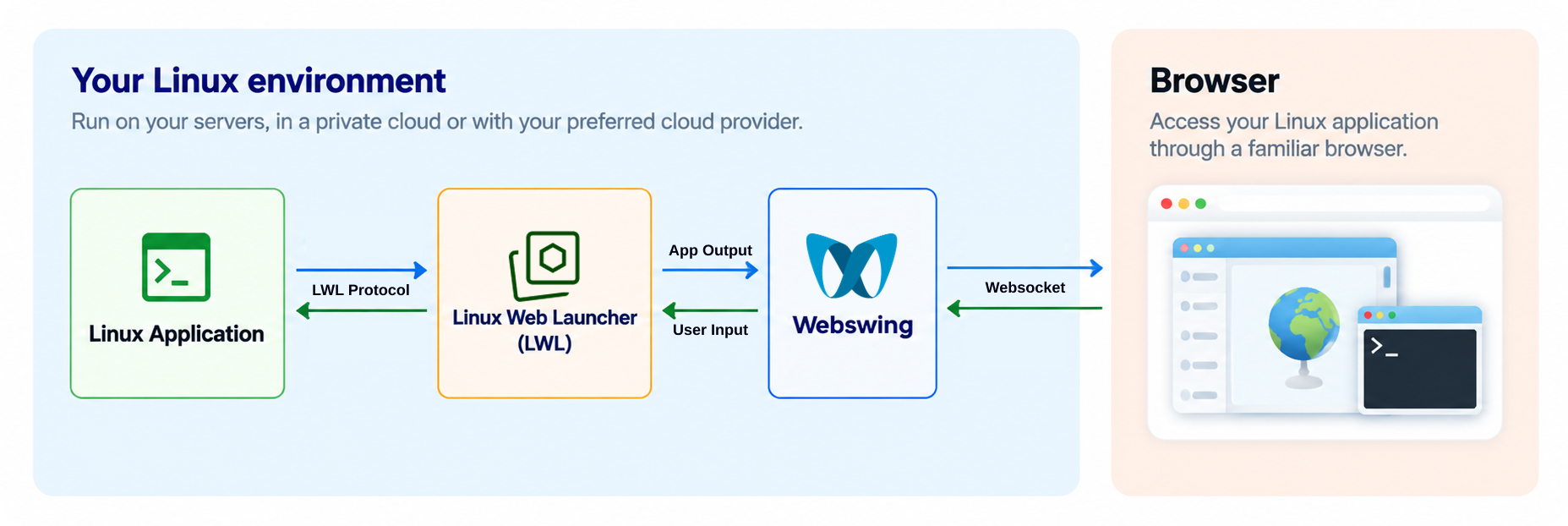
A Linux application runs with Linux Web Launcher and Webswing in your Linux environment. Webswing connects the application to the user's browser.

Users can work with application windows, exchange clipboard content, upload and download files, and print through browser-based workflows. File chooser and print dialog integration are available for most conventional application toolkits. We can help you review the workflows that matter to your users.

Common use cases

build

Business and specialist applications

Essential Linux desktop applications, specialist editors and viewers can become available through the browser. Teams keep the software that supports their work and gain a simpler way to reach it.
web

Browser access to your product

An existing Linux product can become easier for customers to try and access. Your team keeps developing the product while browser delivery broadens how people can use it.
terminal

Operational and support tools

Teams can access Linux terminals, diagnostic tools and supporting utilities through a browser for their day-to-day work, reducing the need to keep these tools installed on each user’s computer.

What your team gets

business_center

For IT teams

  • check
    Application runtimes stay on infrastructure your team controls.
  • check
    Rollout and updates happen in a central Linux environment.
  • check
    Users reach the application without installing it on each device.
code

For software teams

  • check
    Your existing Linux product remains the basis for development.
  • check
    Customers gain a browser route to familiar functionality.
  • check
    A first application can provide a starting point for a broader rollout.

See Linux Apps in action

In the GIMP demo, you can work with a familiar Linux desktop application right in your browser and get a feel for how your own software could be delivered.
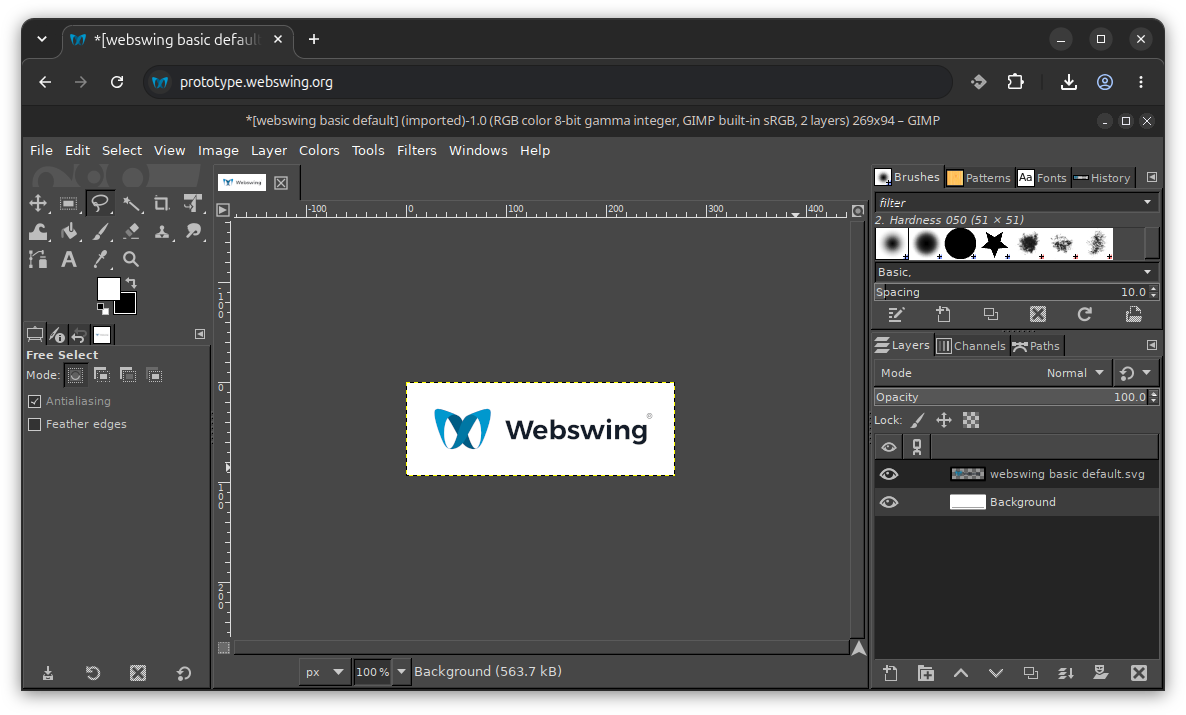
GIMP, a Linux desktop image editor, running in a browser through Webswing.

Want to see how your application would work? We can help you choose a useful first scenario and review the setup with your team.
Deployment and delivery

cloud_done

On your own infrastructure

Your application can run inside your company network, in a private cloud or with your preferred cloud provider. Your team chooses and manages the environment.
dns

Linux runtime support

LWL runs on the vast majority of Linux-based operating systems with glibc 2.28 or later. It supports native Wayland applications and X11 applications through XWayland.
widgets

Containers and CPU options

LWL is fully compatible with container-based deployment and supports both AMD64 and ARM64 architectures, giving your team the flexibility to choose an environment that suits your Linux application sessions.

Ready to bring your Linux application to the browser

Explore Linux Apps

Take a closer look at the technology and the ideas behind browser delivery.
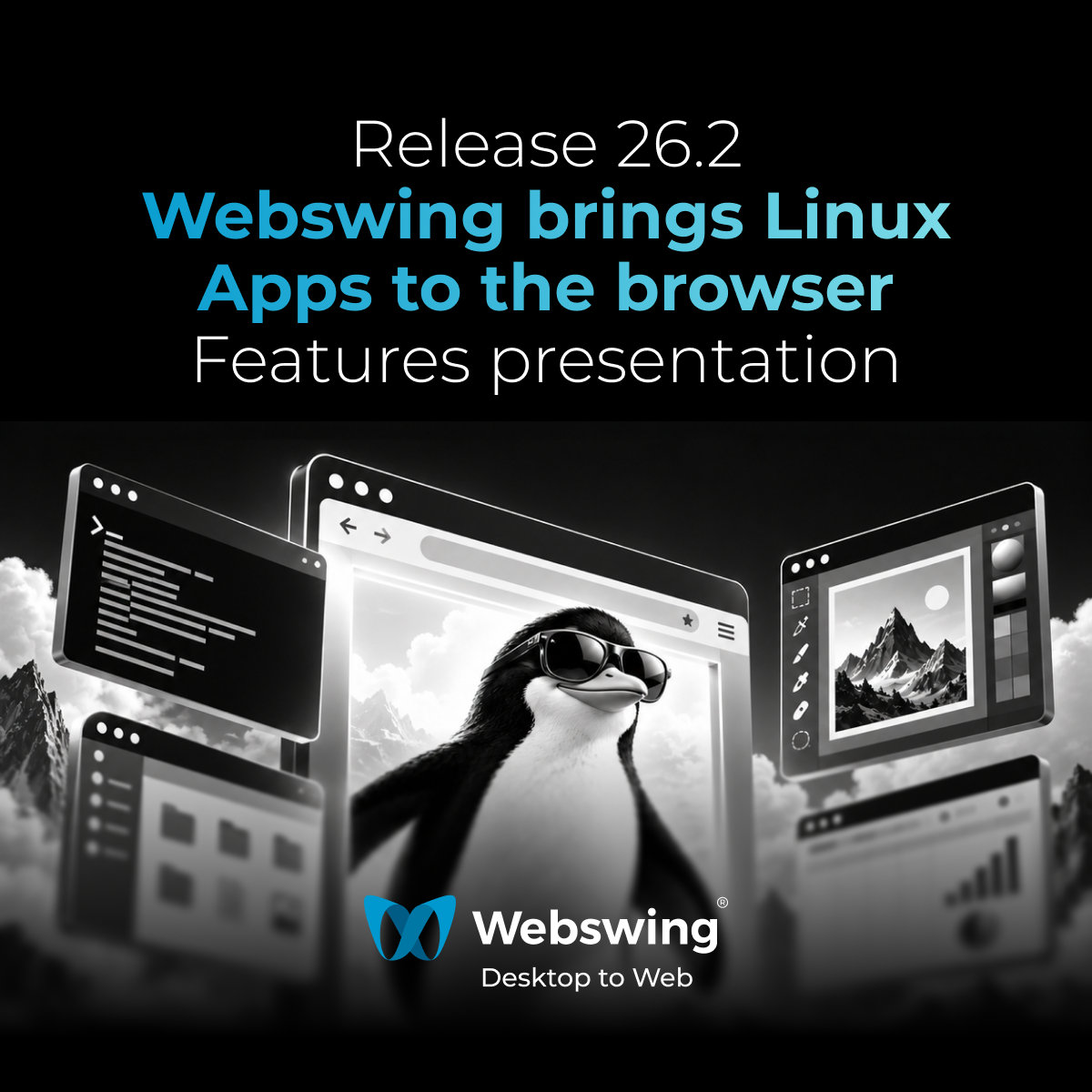
26.2 Release - Webswing brings Linux Apps to the browser
Releases

26.2 Release - Webswing brings Linux Apps to the browser

Linux Web Launcher for running Linux desktop applications through Webswing, including Wayland and XWayland integration, file handling, print…
Linux Desktop to Web: Bringing Linux Applications to the Browser with Webswing
Blogs

Linux Desktop to Web: Bringing Linux Applications to the Browser with Webswing

Bring Linux desktop applications to the browser through Webswing’s Wayland-based Linux Web Launcher without rewriting existing applications.
Webinar: Webswing 26.1 Introduction & Beyond Java - Linux apps in Webswing
Webinars

Webinar: Webswing 26.1 Introduction & Beyond Java - Linux apps in Webswing

Join our Webswing 26.1 webinar and discover the latest release updates, including Java 25 support, Oracle Forms 11 support, Eclipse (SWT) im…

Quick FAQ

Do we need to rewrite our Linux application?

No rewrite is needed as the starting point for browser delivery. Your application continues running in its Linux environment, while Webswing brings its existing interface to the browser. You keep the code and functionality you have invested in and can continue developing the application.

Want to see how this could work for your application? Tell us about your Linux software.

Which Linux applications can we use with Webswing?

Linux Web Launcher supports native Wayland applications and existing X11 applications through XWayland. Your application does not need to be written in Java; applications built with technologies such as C or C++ can also be candidates. Compatibility depends on the application’s dependencies, toolkit and desktop integrations, so we recommend evaluating your main workflows first.

Not sure about your application? Contact us with its toolkit and version details, and we’ll help you assess compatibility.

Do our users need Linux or a local application installation?

No. The application and its Linux runtime run on your infrastructure. Users access the application through a supported web browser, without installing the application or its Linux runtime on their devices.

Need to check particular browsers or devices? Tell us about your users’ environment, and we’ll review the options with you.

OR READ OUR FAQ

Support and requirements

LWL runs on Linux-based systems with glibc 2.28+. Deployment examples include Ubuntu LTS, Debian, Rocky Linux, AlmaLinux, Fedora 29+, RHEL 8+ and openSUSE Tumbleweed or Leap 15.3+. The application’s own dependencies and standard Webswing server requirements also apply. For release-specific compatibility details, see the setup guide or contact us about your application.