

For many business-critical Java Swing applications, modernization is not a UI problem. It is a delivery problem, and when delivery is the problem, browser delivery may be the whole answer.
Rewriting a Swing application because users need browser access is a bit like replacing the whole car because the garage door is annoying. Sometimes the engine is fine. The problem is simply how people get to it.
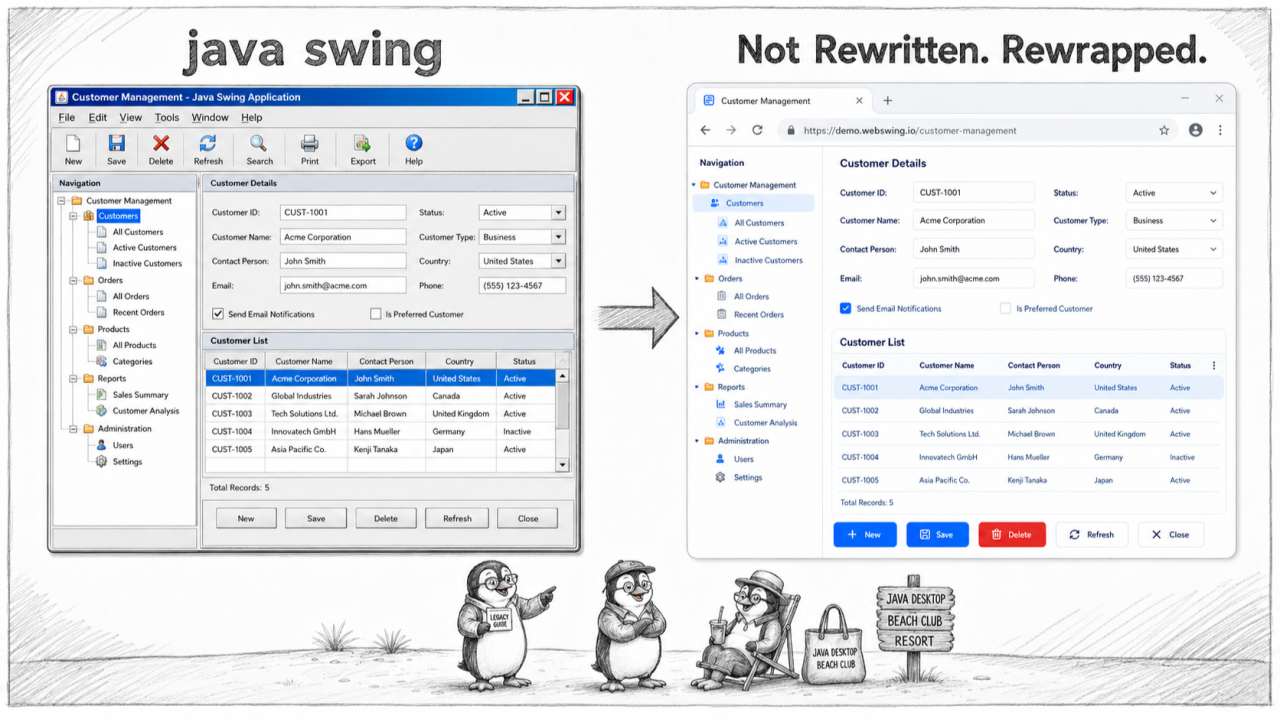
The problem is delivery, not the UI
Most modernisation projects begin by staring at a twenty-year-old interface and asking how to rebuild it for the web. But trace the pressure back to where it started, and the interface is rarely the culprit. It comes from delivery: desktop deployment and updates, a Java runtime to manage on every machine, Citrix and VPN overhead, endpoint security, and an audit that no longer tolerates any of it. Every one of those is a delivery problem, and not one of them is solved by redesigning a screen.
What browser delivery solves
Browser delivery moves the application off the endpoint and onto the server. Users open a URL, the application runs centrally, and nothing is installed on the client but the browser they already have. Webswing has done exactly this with Java desktop applications since 2012, running the original application unchanged and rendering it in the browser with no source-code changes. The deployment problem, the runtime problem, and the remote-access problem simply go away, in days rather than quarters. And the security story gets simpler in one line: one server-side runtime behind single sign-on beats a Java runtime on four thousand laptops.
Unchanged is a feature, not a compromise
The word unchanged is the important one. The application in the browser is the same application that ran on the desktop: the same business logic, the same workflows, the same edge cases that twenty years of production hardened into correctness. Nothing is reimplemented, so there is nothing to re-test for behavioural drift and nothing to re-validate. For expert users who know the tool by muscle memory, and for regulated systems whose behaviour was formally qualified, “it behaves exactly the same” is not a compromise. It is the entire point. And since Webswing has run this in production since 2012, it is a well-trodden path, not an experiment.
A destination, not a bridge
There is a habit of treating browser delivery as merely a first step toward a real rewrite. For a great many applications that is simply wrong. Browser delivery gives you stability and flexibility at once: the delivery problem is solved today, in production, and no doors are closed. If a particular screen later warrants a modern web UI, you can extend, reface, or rebuild it incrementally, in the technology of your choice, while the rest keeps running. And the asymmetry is the whole argument. A half-modernised application can still run the business. A half-rewritten one cannot. One is a path you can pause and reverse; the other is a leap you have to complete before you land.
When browser delivery is not enough
Honesty matters, because over-claiming loses a technical reader. Browser delivery does not, by itself, produce a mobile-first redesign or a public-facing consumer portal. If those are genuine, funded requirements, the application has to evolve further, and it can, on the same platform, at your pace. But for the large population of internal line-of-business Swing applications whose users sit at a desk and need the tool to work, browser delivery is not step one of a longer project. It is the answer.
A half-modernised Swing application can still run the business. A half-rewritten one is usually a construction site with a login screen. Browser delivery lets you modernise without turning production into a waiting room.
Sources
arrow_back_ios