

Linux Web Launcher for running Linux desktop applications through Webswing, including Wayland and XWayland integration, file handling, printing, and application packaging.
Linux Web Launcher for running Linux desktop applications through Webswing, including Wayland and XWayland integration, file handling, printing, and application packaging
We’re excited to introduce Webswing 26.2, a release that expands browser-based application delivery beyond Java with support for Linux desktop applications and brings simpler setup, enhanced testing tools and improvements to rendering and session management.
Linux Web Launcher brings Linux desktop applications into the browser through Webswing while keeping the applications in their original Linux runtime on the server. It works at the display-server level through Webswing’s Wayland-based architecture, supporting native Wayland applications as well as X11 applications through XWayland. This allows existing Linux software to become browser-accessible without rewriting the application UI or creating toolkit-specific web integrations.
The integration supports familiar desktop workflows such as opening and saving files, printing, and working with multiple application windows. Linux applications and their required files can also be packaged for deployment alongside the Webswing server, giving users access to Linux software through the browser without requiring the applications to be installed on their own computers.
Linux applications use the same Webswing browser-delivery, session-management, configuration, and administration infrastructure as other Webswing applications. This also opens the possibility of mixed Java and Linux workflows, where existing Java applications can work alongside Linux editors, viewers, terminals, diagnostic tools, or other specialised desktop software within the same browser-based process.
Explore our Linux Apps overview for common use cases, deployment options, and a closer look at how Linux Web Launcher brings your applications to the browser.
For a deeper look at the architecture and technical approach, read Linux Desktop to Web: Bringing Linux Applications to the Browser with Webswing. You can also watch Webinar: Webswing 26.1 Introduction & Beyond Java – Linux apps in Webswing for the architecture walkthrough, configuration, and live demonstrations.
Webswing Installer
>>> Expected in late 2026
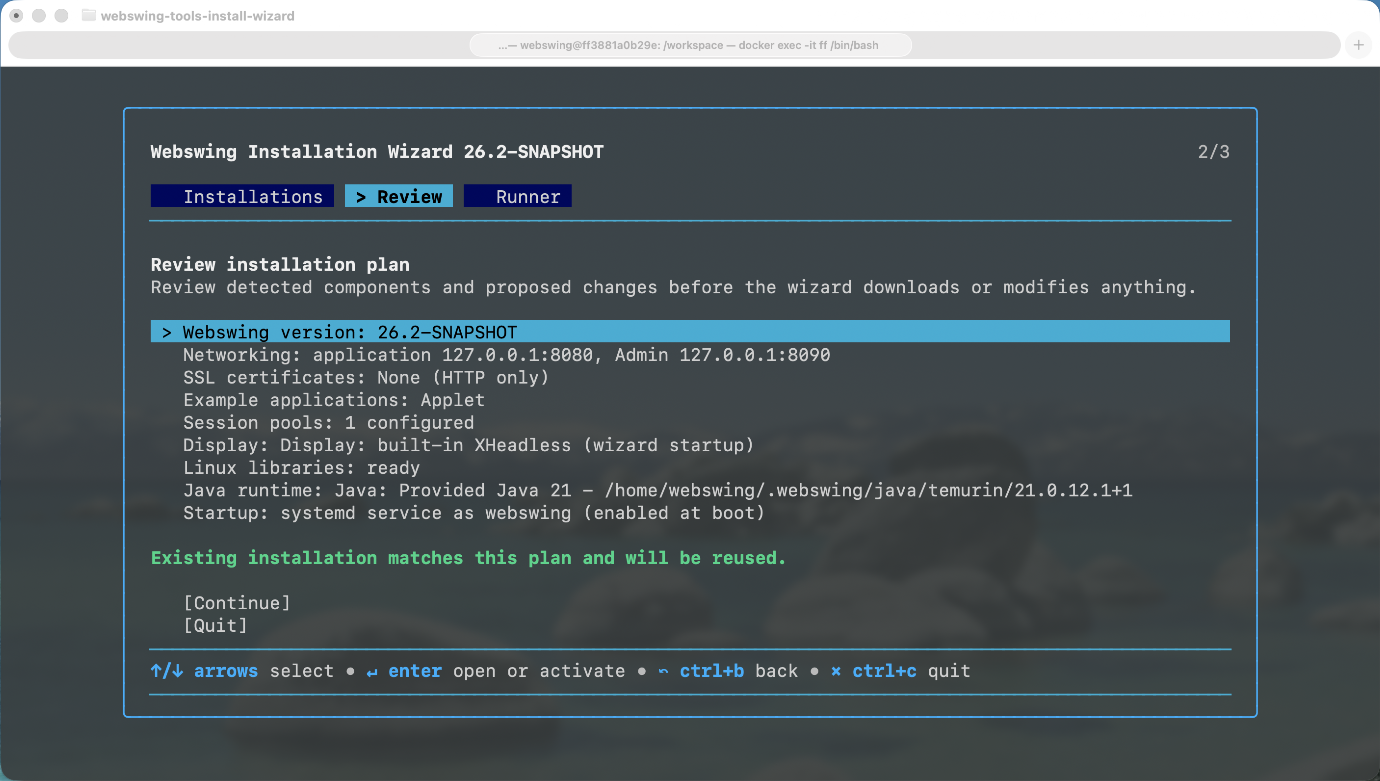
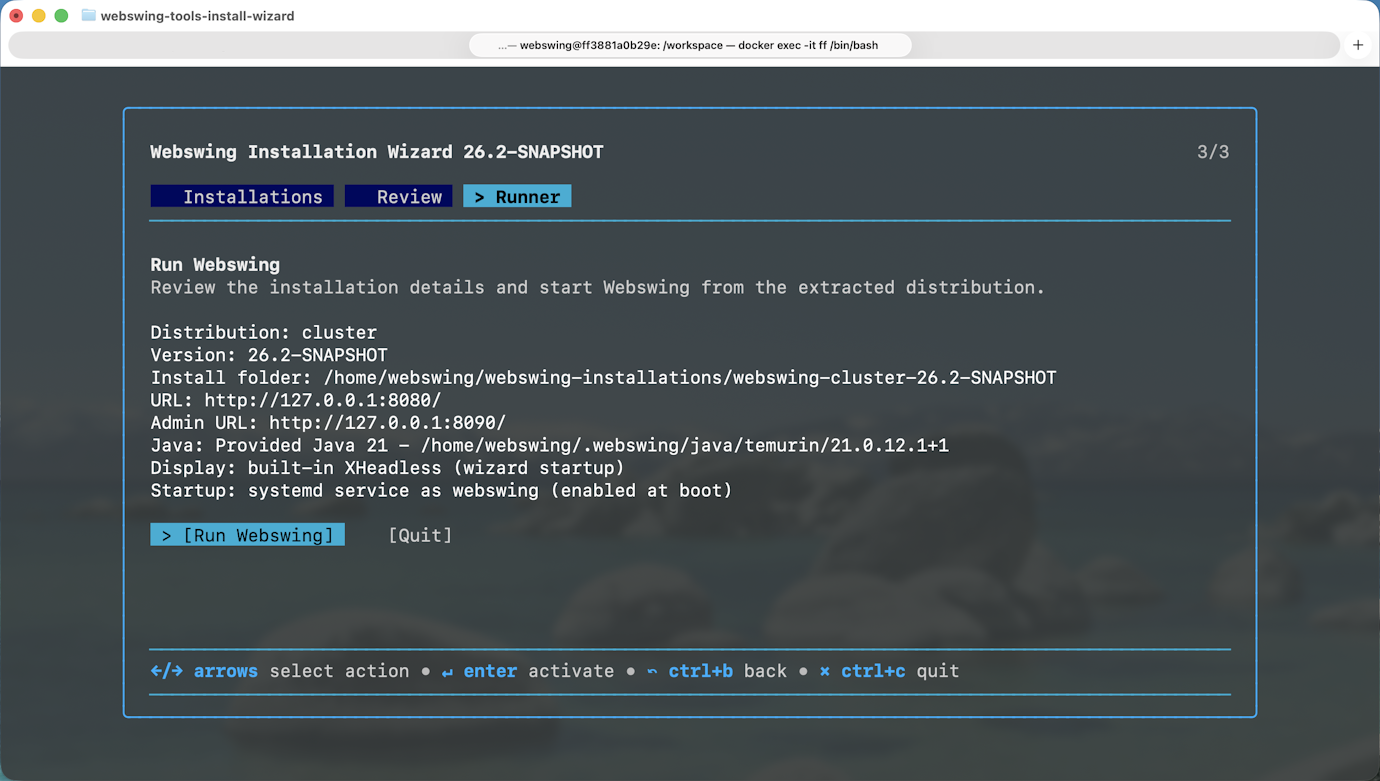
The new Webswing Installer guides administrators through choosing a distribution, configuring it, and starting Webswing in a terminal-based wizard. It can download the selected release and example applications, check for Java and Linux display dependencies, and prepare the required configuration. The wizard also keeps track of installations so administrators can return to them later to update examples or change Webswing versions. It supports local installations and includes options for offline installation bundles.
Webswing 26.2 introduces the Installer as an MVP. Additional capabilities will be introduced in upcoming releases. Over time, the Installer is intended to replace the current Webswing installation process, making setup easier and more customised for individual environments.
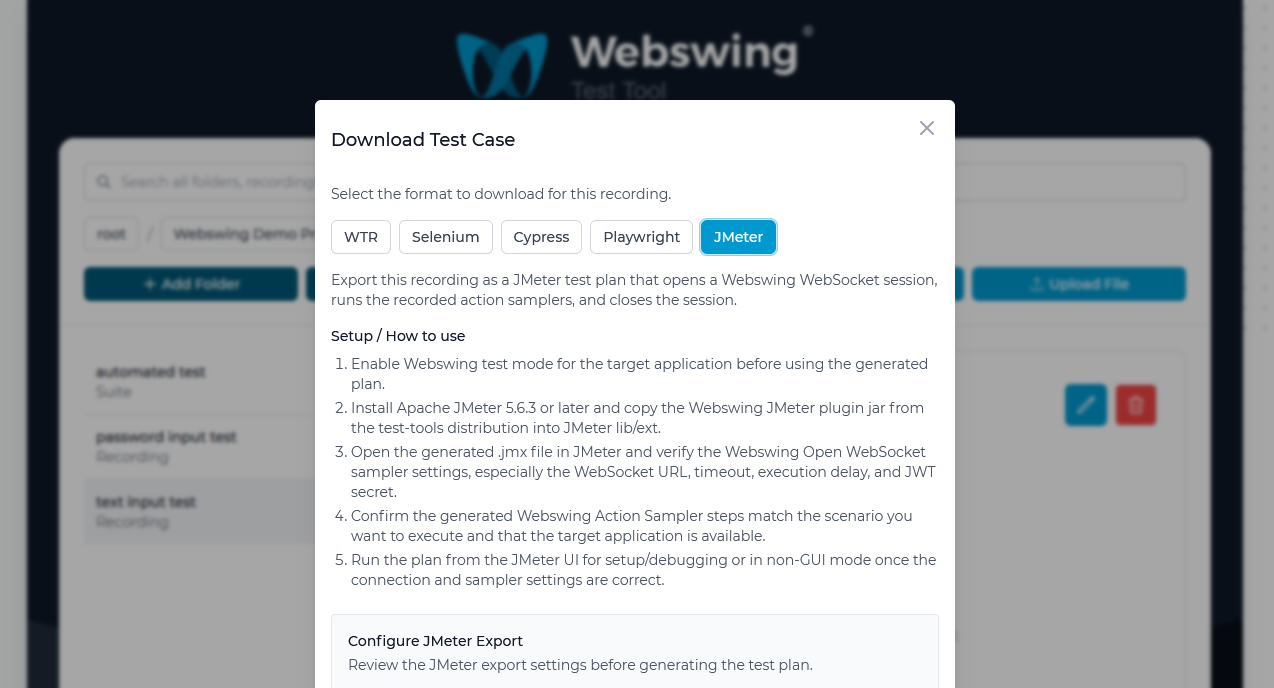
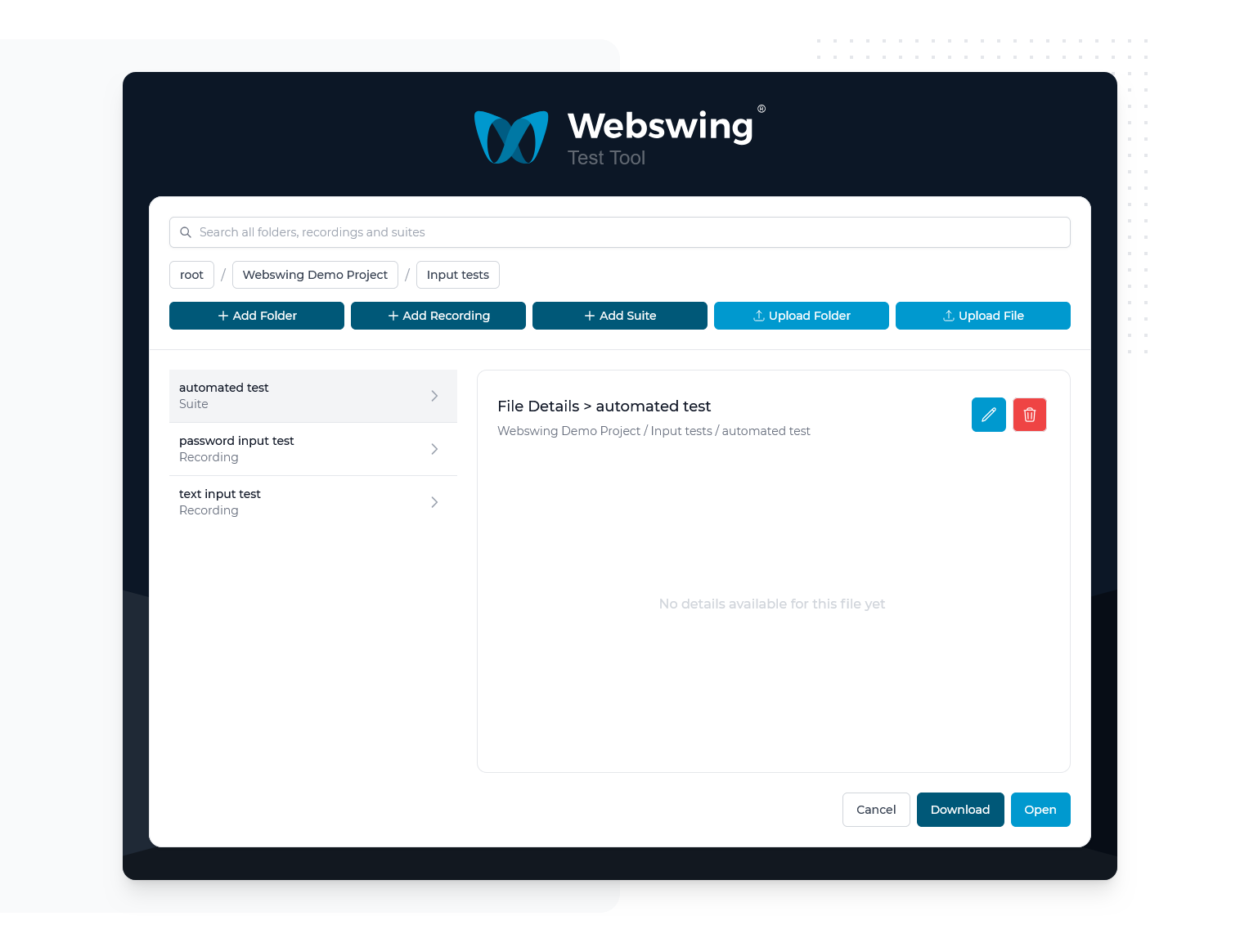
Improved Test Tool with hierarchical navigation and export of recordings as JMeter, Cypress, Selenium, and Playwright tests
The Test Tool now organises projects and recordings in a file explorer with subfolders and search, making larger test collections easier to navigate. Users can record actions in a Webswing application and add checks for specific components. A finished recording can be replayed in the Test Tool or exported as a JMeter, Cypress, Selenium, or Playwright test for use in an existing automation workflow.
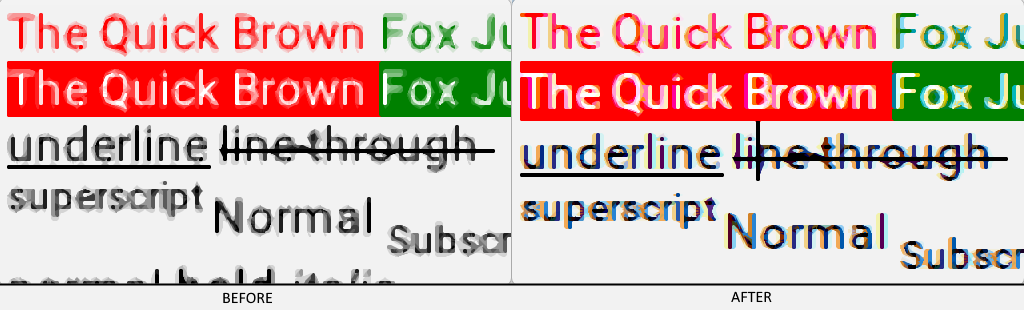
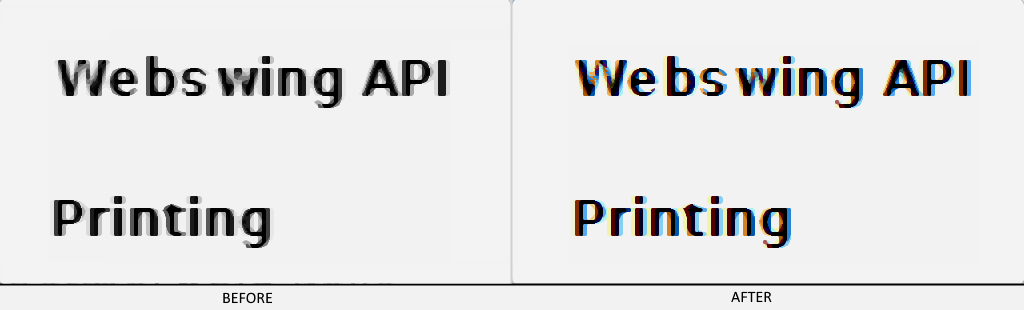
Improved text rendering quality, including font sharpness and text visibility, font fallback, and style configuration
Text in Webswing applications is clearer and more consistent, especially when fonts contain unusual characters or use styles such as bold and italic. Administrators can choose fallback fonts for characters missing from an application's main font and decide whether those fallbacks should be sent to the browser or rendered on the server. Webswing also handles text layout features such as tracking, kerning, and ligatures more accurately, helping complex text remain legible.
Built-in Java XHeadless fallback for headless Linux applications
Webswing can now provide its own display environment for Java desktop applications running on headless Linux servers. When no display is configured, the standalone server or Session Pool starts the built-in XHeadless service automatically. This removes the need to install and manage a separate Xvfb service for applications that work with XHeadless, while existing displays can still be used.
Faster PNG encoder and new QOI image encoding
With this release, Webswing introduces a faster PNG encoder for images rendered on the server, with an option to adjust the compression level. Webswing now also supports QOI as an additional image format, with a fast WebAssembly decoder providing another way to reduce image-processing time during a session.
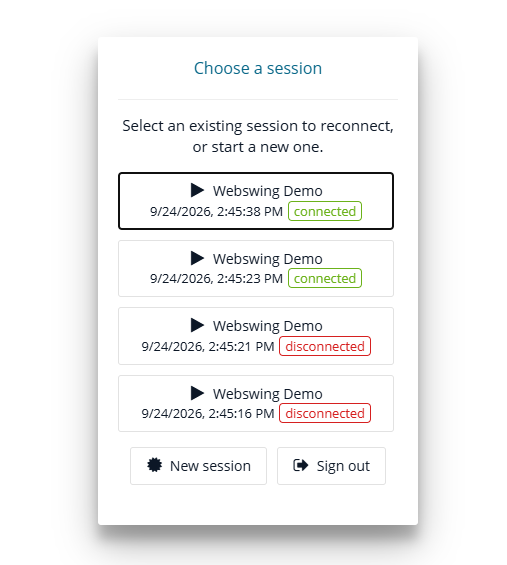
Choose Session for User
The new session mode lets a user choose which session of the same application to open. A picker shows available sessions, including the application name and start time, so the user can reconnect to an existing session or start a new one. Administrators can control whether a user may take over a session that is already connected elsewhere.
New Webswing JavaScript API for detaching and reattaching a connected Webswing instance from the DOM [setElement()]
The JavaScript API now lets a web application move a connected Webswing view between page elements with setElement(). Passing null detaches the view from the page while keeping its connection and desktop session active; passing a new element displays that same session again. This is useful in single-page applications such as Angular or React when users switch routes or layouts and the page rebuilds part of its interface.
Release Distribution Changes
Webswing 26.2 introduces several changes to distribution package names and replaces previously published aggregate downloads. Existing automated deployments may need to be updated accordingly.
Package names
Published ZIP packages now follow the naming convention:
webswing-<package>-<version>.zip
The former -distribution suffix is no longer used.
Replace:
webswing-<version>-distribution.zip
with:
webswing-standard-<version>.zip
Examples
The following aggregate packages are no longer published:
webswing-examples-<version>-distribution.zip
webswing-examples-cluster-<version>-distribution.zip
Download the required example ZIP packages separately and copy them into the apps/ directory of the Standard or Cluster distribution.
Security modules
The following aggregate package is no longer published:
webswing-security-modules-<version>-distribution.zip
Download and install the required security package separately:
webswing-security-<type>-<version>.zip
Deployments currently referencing:
security/database+property/
must be updated to use:
security/database/
Minor Improvements
Graceful Session Pool termination on SIGTERM with forceful fallback
New keyboard shortcut mapping API in JavaScript
Improved linked-view reconnection
Improved DirectDraw performance
Option to automatically download multiple files as a ZIP archive
Script-driven Secrets Manager integration
Configurable Admin Console reconnect behaviour
New Java API for sending files to the browser as a byte array
Application log-handling API
Whitelist for trusted
X-Forwarded-Hostvalues
Webswing 26.2 expands browser-based application delivery beyond Java, bringing Linux desktop applications to the web without rewriting their user interfaces. With simpler setup, improved testing tools, clearer text rendering, faster image processing, and more flexible session management, this release makes deploying, running, and managing existing desktop applications in the browser easier and more efficient.
Ready to bring your Linux application to the browser? Explore Linux Apps with Webswing for practical use cases, a live demo, and setup guidance.
Your feedback matters. Your Webswing experiences help us refine our desktop application solution for web browsers. If you need assistance or have questions, contact our support or sales teams.
Visit the Download section or explore the documentation to get started with Webswing 26.2.
arrow_back_ios


