

Nobody asked for a rewrite. They asked for a map. In enterprise software, that difference is worth millions, because a small request handled well is a feature and the same request handled badly is a three-year modernisation program.
“The function of good software is to make the complex appear to be simple.” Grady Booch’s old rule is also the sharpest test of a modernisation plan: does the plan make things simpler for the people using the software, or only more exciting for the people rebuilding it?
If you maintain a Java Swing application that a business depends on, you have received this request, because every such team eventually does: could the dispatch screen show the trucks on a map? Nobody asked for a new application. Yet somewhere between the user who wanted a map and the steering committee that costed it, the map became a full rewrite, the product froze, and a small wish turned into a large risk. Here is what those meetings rarely hear: the exact wish can often be handled as a bounded integration task, sometimes in weeks. Not by rewriting the application. By extending the screen that already works.
Webswing is used here as a modernisation layer: the existing Java Swing application keeps running in the browser, while selected web components are added beside it where they solve a specific user problem, without rewriting the core application.
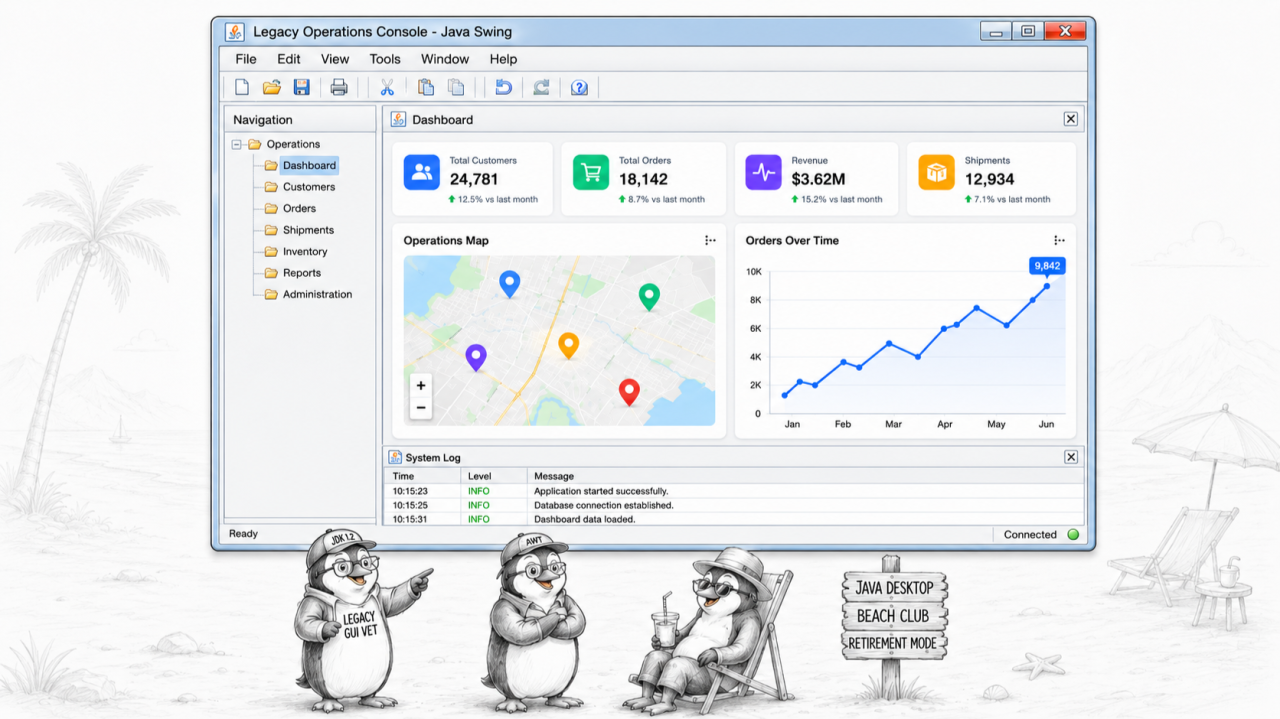
The map was never the risk
People do not resist change as such. They resist change that is done to them. A small change they proposed themselves, a map on the screen where they always wanted one, is not resisted at all; it is awaited. That is the psychological asymmetry every modernisation plan should be built on: deliver the change the users requested, exactly that change and nothing else, and adoption takes care of itself. A rewrite does the opposite. It delivers a thousand changes at once, most of them unrequested, and asks fifteen years of muscle memory to start over. The map was never the risk. Everything bundled with it was.
Extend: a web component beside Swing, not instead of it
In Webswing, this pattern is implemented through the Extend approach: the existing Java Swing screens keep running, while selected web components are added beside them in the browser. In this architecture, the Swing application remains the system of record for the existing workflow and business logic; the web component is added as a focused UI extension. Webswing connects the two through its JavaScript integration API, JsLink or JsLinkDirect. Swing can call JavaScript. JavaScript can call selected Java services. Selection changes, IDs, filters, coordinates, and user actions move between the Swing screen and the web component. That is enough to keep interaction, state, and intent coherent across both sides.
This is not a new idea in software engineering. It is modularisation applied to modernisation: isolate the new capability behind a small boundary instead of opening the whole system. In practice it looks like this. A dispatcher selects an order in the twenty-year-old Swing table, and the map pans to the truck. She clicks a truck on the map, and the Swing side opens the delivery. The contract between the two sides can stay small: an order ID, a truck ID, coordinates, filters, and user events. One screen, two technologies, one bounded integration point. The existing Swing application keeps the workflow and business logic; the web component adds the modern interaction. Software engineering has a name for this shape, separation of concerns, and it is exactly what keeps the change isolated, testable, and reversible.
The same pattern works for charts and dashboards
A map is just the first example. The pattern is not specific to maps. It applies to any web UI component that can communicate through JavaScript and a defined integration boundary. A production manager gets a live chart next to the old report. Management gets a dashboard without anyone touching the transaction screens that feed it. Each is one web component beside one Swing screen, integrated through the same JavaScript boundary, delivered on its own, adopted on its own, with the core application untouched underneath every time.
The whole web is your component library
And here is the strategic part. The map can be Leaflet or Google Maps. The charts can be ECharts, D3, or another JavaScript library. The dashboard can be an embedded analytics panel. The important architectural point is that these choices stay outside the Swing core. Whatever your team prefers today can be replaced by whatever is better in three years, because you are choosing from the open web, not from anyone’s component catalog. Replacing a charting library later should touch the integration boundary, not the business application.
What the customer saw
A live map on the dispatch screen, precisely the improvement they had been asking for. What they did not see: a feature freeze, a migration weekend, a retraining course, or any change at all in how orders, invoices, and twenty years of edge cases behave. The transaction flow kept running during the change. Continuity first, architecture in service of continuity.
When a component is not enough
Sometimes a component beside the old screen is not enough, and one workflow genuinely deserves to be rebuilt. Fine. Rebuild that workflow, in the web technology of your choice, on the same platform, and leave the rest running. In modernisation terms, this is closer to an incremental replacement pattern than to a big-bang rewrite: the new grows beside the old, one screen at a time, and the old keeps serving until each piece is ready. The answer to “this screen needs more” is one screen’s worth of work, not an application’s. And if the direction ever goes further, the same principle works in reverse: a Swing screen too specialised to rebuild cleanly can remain inside a modern web application for as long as needed. Nothing here ever forces you to finish.
The mechanism is simple to state: Webswing modernises a Java Swing application by running it in the browser and letting modern JavaScript components be integrated beside the existing Swing screens, through a defined integration boundary, without rewriting the core application.
Modernisation does not have to begin by replacing the application. It can begin by granting one improvement the users actually asked for, one requested change at a time.
The customer saw a better product. The application never noticed.
Sources
• Jakob Nielsen, 10 Usability Heuristics for User Interface Design (Nielsen Norman Group)
• Martin Fowler, Strangler Fig Application (incremental legacy modernization)
arrow_back_ios