

Java 25 support, broader Oracle Forms compatibility and stronger session stability
We’re excited to introduce Webswing 26.1, a release focused on compatibility, stability and smoother day-to-day operation across modern browser and server environments.
This version expands Webswing support for newer Java runtimes, broadens Oracle Forms compatibility, improves Eclipse (SWT) integrations, and strengthens session reliability in real-world deployments. It also brings rendering refinements, security updates, Kubernetes health checks, and Admin Console improvements.
Let’s take a closer look at what’s new.
Features List:
- Java 25 support
- Improved handling of inactive browser tabs
- Oracle Forms 11 support
- Eclipse (SWT) integration improvements
- WebSocket stability improvements
- Rendering improvements
- Security module enhancements
- Kubernetes health check endpoints
- Admin Console improvements
Java 25 support
Webswing 26.1 now supports Java 25.
For teams that want to stay current with the Java ecosystem, this makes adoption of newer JDK versions easier while keeping the same Webswing deployment model. As always, the goal remains the same: run your Java desktop applications in the browser without changing your application code.
Improved handling of inactive browser tabs
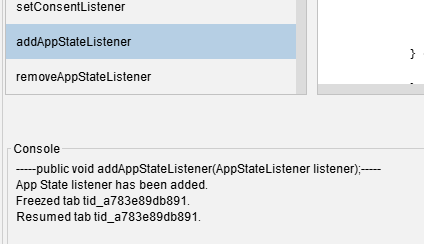
Modern browsers often throttle, freeze, or suspend inactive tabs. In certain situations, this could previously lead to interrupted communication or an out-of-sync session when the user returned to the tab.
Webswing 26.1 improves this behavior significantly. When a tab becomes inactive, unnecessary runtime communication is paused behind the scenes. When the user returns, Webswing refreshes the application state so the session is up to date again.
The result is a smoother user experience for applications that stay open for a long time while users switch between tabs or multitask across multiple browser windows.
Oracle Forms 11 support
Following the Oracle Forms support introduced in earlier releases, Webswing 26.1 extends compatibility even further by adding support for Oracle Forms 11.
This means Webswing now supports Oracle Forms 11, 12 and 14, giving organisations with different Forms generations a broader path to browser-based delivery. Existing Forms applications can be accessed directly in the browser without rewriting business logic or changing the application itself.
For companies looking to modernise access to Oracle Forms while protecting long-term investments, this is another important step forward.
Eclipse (SWT) integration improvements
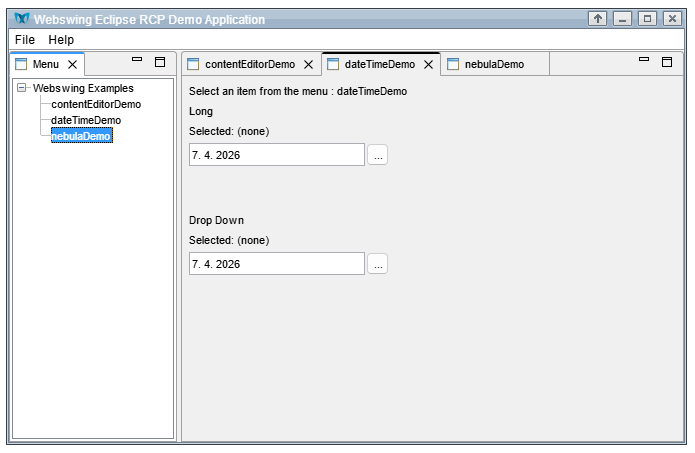
Webswing 26.1 also includes several improvements in Eclipse (SWT) integration.
This release strengthens interoperability between Swing and Eclipse (SWT) components and broadens compatibility across multiple SWT versions. That makes mixed UI environments easier to support and improves reliability for customers working with more complex Java desktop stacks.
WebSocket stability improvements
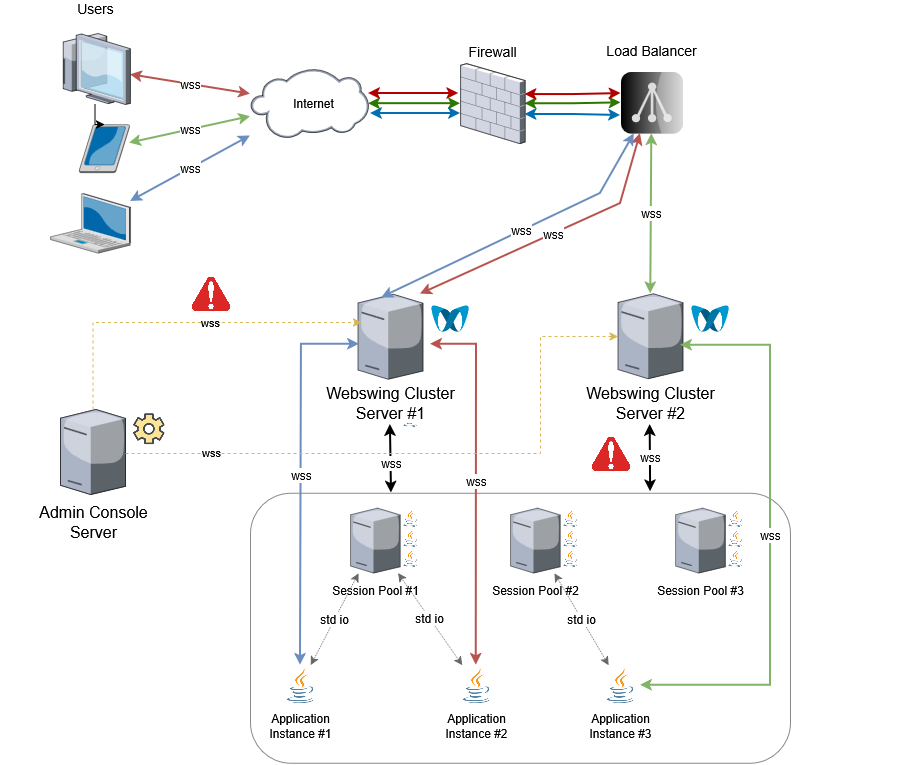
Reliable session communication is critical in clustered and distributed environments. In earlier edge cases, one side of a connection could lose communication while another side still considered the session active, creating inconsistent states during reconnects.
Webswing 26.1 improves WebSocket handling across the full communication chain between application, server, session pool, and related components. Better reconnection logic helps detect broken or half-open connections earlier and recover more consistently.
In practice, this means better stability in situations where network interruptions or internal cluster communication issues might previously have caused sessions to become unstable.
Rendering improvements
This release also brings several rendering refinements aimed at smoother visual behaviuor and better responsiveness.
Webswing 26.1 improves parts of the rendering pipeline to reduce bottlenecks in DirectDraw scenarios, handle immediate paint situations more efficiently, and reduce occasional flickering in specific integrations, including selected Oracle Forms use cases. It also improves glyph rendering and handling of certain compound UI elements.
These changes help deliver a cleaner and more stable visual experience in demanding UI scenarios.
Security module enhancements
Security remains an ongoing priority, and Webswing 26.1 includes another round of improvements in this area.
Highlights include:
- LDAP improvements
- support for OIDC session refresh and session management
- configurable SAML2 response binding
- additional minor security hardening across the platform
These updates give administrators more flexibility when integrating Webswing into existing identity and access management environments.
Kubernetes health check endpoints
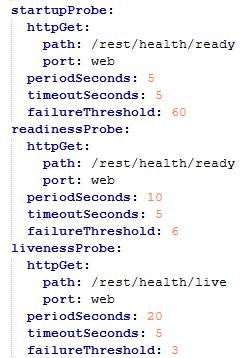
For teams deploying Webswing in Kubernetes, version 26.1 introduces health check endpoints that make liveness and readiness probe configuration easier.
This helps operators monitor the runtime state of key components such as the server, admin console, and session pool, and improves orchestration in containerised environments.
Admin Console improvements
The Admin Console also received a set of smaller but valuable improvements.
Users will notice minor UI fixes that make the console easier to work with, while internal refactoring improves performance behind the scenes. Together, these changes help keep administration smoother, especially in larger or more active environments.
Other enhancements
Webswing 26.1 also includes a set of smaller refinements across the platform, especially in performance, security, rendering consistency and overall runtime stability.
The new version of Webswing 26.1 continues to improve the practical side of running Java desktop applications in the browser: broader compatibility, more stable communication, smoother rendering, and easier operation in modern infrastructure environments.
———
Whether you are adopting Java 25, modernising Oracle Forms deployments, improving Eclipse (SWT) compatibility, or running Webswing in clustered or Kubernetes-based setups, Webswing 26.1 brings meaningful improvementswithout changing the simplicity of the overall model.
Visit the Download section or explore the documentation to get started with Webswing 26.1.
———
Your feedback matters. Real-world experience helps us keep improving Webswing for modern browser delivery of Java desktop applications. If you have questions, need support, or want to discuss your use case, contact our team.
arrow_back_ios