

When a customer wants self-service, the usual plan is to build a new public application. But the workflow already exists: it is the Java Swing application your own users run to serve those customers today. This is how to open one controlled slice of it to customers directly, behind single sign-on, without building a second application.
If you build or maintain a Java Swing application, some of your users almost certainly sit between your software and a customer. A support operator, a back-office clerk, a branch employee: someone opens your application, finds a record, clicks through a workflow, and relays the result to a person who is waiting, often on the phone. It works. It has worked for years. But it means every routine request a customer makes, an order status, an address change, a document, a renewal, has to pass through one of your users first.
Look at that arrangement coldly and it is a human API. The customer provides the input. Your user authenticates them, interprets the request, clicks through your Java Swing application, and reads the output back. The workflow already exists. The business rules already exist. The edge cases already exist. They are simply reachable only through a person, with a phone queue or a support ticket as the most expensive login screen the customer will ever use.
So when someone asks for a customer self-service portal, the honest observation is this: the portal already exists in workflow form. It is running every day inside the Java Swing application your own users operate. The real question is not whether you can build a new public application beside it. It is whether you should rebuild a workflow that already works, just to let the customer reach it directly.
Webswing is used here as a delivery layer: it runs your existing Java Swing application on the server and makes a controlled slice of it reachable through the browser, behind single sign-on. Stated plainly: it can turn a call center operator’s internal Java Swing screen into a customer self-service portal by exposing a controlled, authenticated, browser-accessible slice of an existing workflow, instead of rebuilding that workflow as a second application. The customer gets direct access to the one workflow they need, without you building a second application and without turning the Swing system into a new web application.
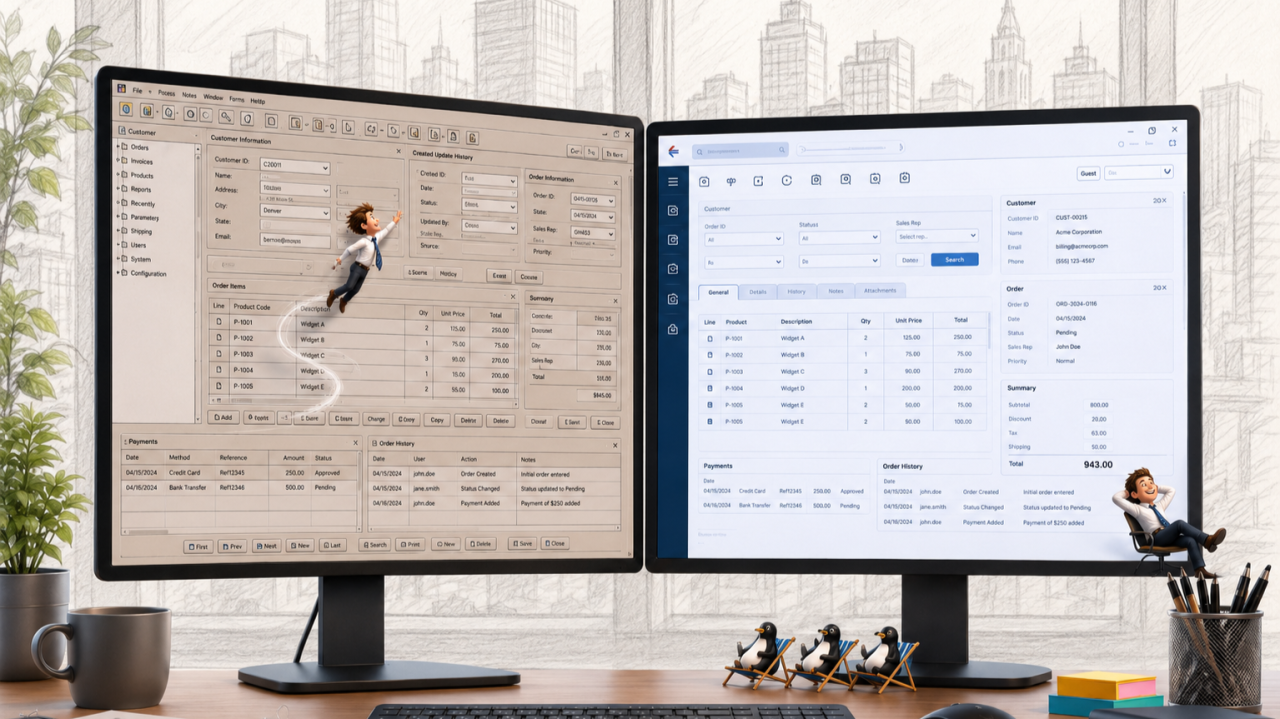
The workflow already exists
“We build our computer systems the way we build our cities: over time, without a plan, on top of ruins.” Ellen Ullman meant it as a warning, but it also points at the fix, because nobody modernises a city by demolishing it. You add signage, gates, and a visitor entrance, and the city keeps functioning while the visitors arrive. The self-service portal you are being asked to fund is, in workflow terms, already running that way. Every action a customer wants, checking an order, updating a detail, downloading a document, is an action one of your users already performs in the application. The rules, the validations, the exceptions learned the hard way over twenty years: all of it is there, in production, known by the business and proven by daily use.
The wrong reflex is building a second app
So when the business asks for a self-service portal, there is a reflex worth resisting: building a second, public application that reimplements what the internal one already does. Building a second portal means reimplementing the same rules in a second place, and then maintaining two copies of them as they drift apart. It means a second codebase, a second test suite, a second backlog, and the behavioural drift that appears the first time the new build handles an edge case differently from the old one. A rewrite rediscovers twenty years of rules from the outside, on a deadline. Exposing a controlled slice reuses the rules that already run in production, so there is nothing to reimplement and nothing to re-test for drift.
The better pattern is controlled exposure
The goal is not to expose the whole application. The goal is to expose one authenticated, controlled workflow that customers already reach indirectly, through one of your users. The application runs centrally on the server, and the customer receives a rendered interface, not the application binary, the client runtime, or direct access to the underlying data layer. Access sits behind single sign-on (SAML2 or OpenID Connect) and TLS; every customer gets an isolated application session; and the whole deployment runs on your infrastructure under your own controls. This is security by architecture rather than by audit checklist: the surface a customer touches is a rendered canvas and an event stream. Least privilege becomes easier to enforce, because you expose only the one workflow customers need, not the whole application your own users work in.
Inside the portal you already have
Customers should never feel they have left your website. A JavaScript API and npm module embed the application view directly into an existing customer portal: your page, your navigation, your fonts and branding around the running application, down to the login and loading screens. The portal shell can be built in whatever your web team already uses. The Swing workflow joins your web presence, rather than demanding a web presence of its own.
Continuity is the whole business case
A customer-facing system has one non-negotiable job: customers must keep being served today. This approach never puts that at risk, and it is also where Webswing belongs: not on throwaway tools, but on the large, complex, business-critical systems you do not want to rewrite in the first place, where safety and continuity outrank the appeal of a clean new codebase. The portal grows one workflow at a time: order status first, address changes next quarter, document downloads after that. Your users keep serving everyone else, the application keeps behaving exactly as it did, and the product keeps earning throughout. No parallel application is built in the dark, and no customer is asked to wait for a version two that may slip. Each exposed workflow starts paying for itself, in fewer calls and faster service, the week it ships. Continuity first, architecture in service of continuity.
What the customer saw
Their order status at two in the morning, without a phone queue. A document downloaded in thirty seconds instead of “we’ll send it within five business days.” What they did not see: that the tool answering them is the same twenty-year-old application one of your users has always operated on their behalf, or that the portal and that user’s screen are one living system, not two.
What this is not
This is not a mobile-first consumer app for millions of anonymous users; that is a different product with a different budget and a different design. It is the fastest credible path to self-service for your authenticated customers, using the workflow you have already proven in production. And if one exposed workflow eventually outgrows the shared screen and deserves a purpose-built public interface, that one screen can be rebuilt in the web technology of your choice, on the same platform, while everything else keeps serving.
The customer served themselves. The application never noticed.
Sources
• OWASP, Session Management Cheat Sheet (isolated, per-user session handling)
• OpenID Connect and SAML 2.0 (federated single sign-on standards)
arrow_back_ios