

IBM WAS 9.0 Deployment
To deploy Webswing to WAS 9.0, follow these steps:
- Unzip Webswing distribution to a temporary folder
- In
webswing.propertiesset propertywebswing.server.websocketUrltows://localhost:<port>, port should be the same as application server port - Go to IBM WAS Console http://localhost:9060/ibm/console
- Navigate in the menu to
Applications>New Application>New Enterprise Application - Click Choose File (select
webswing-server.warfrom the temporary folder created before) Next>Next>Next>Next>Next- Configure Webswing JVM Properties in location:
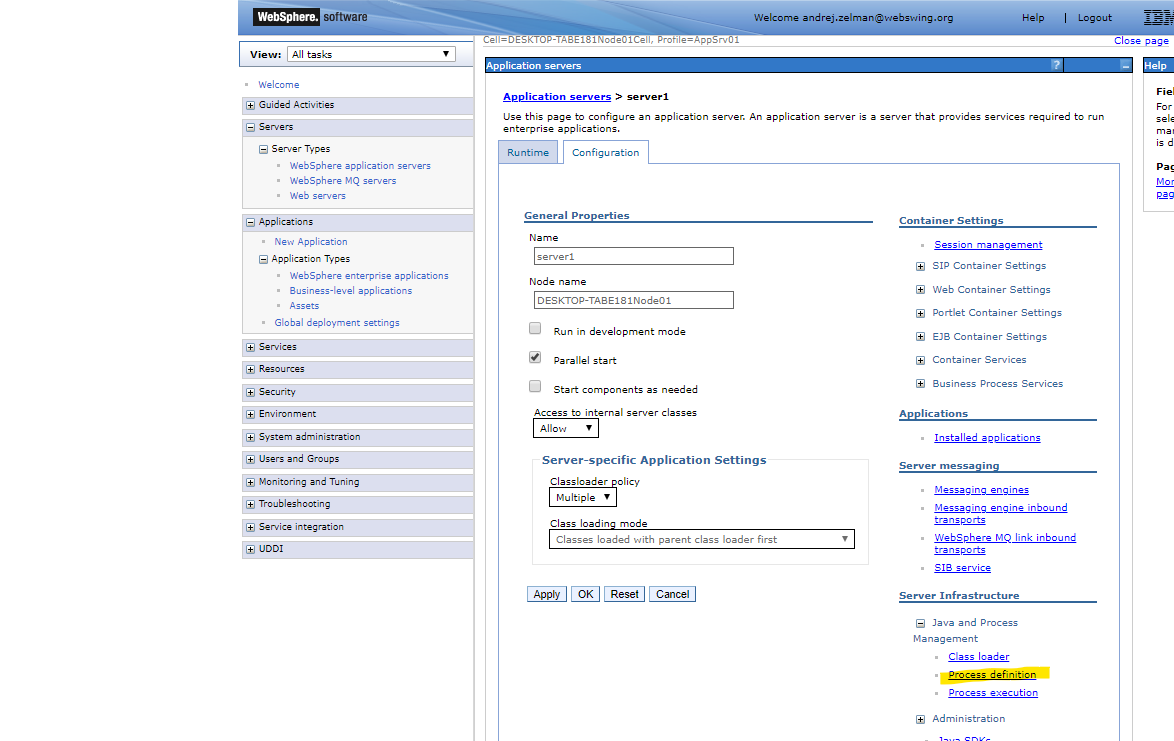
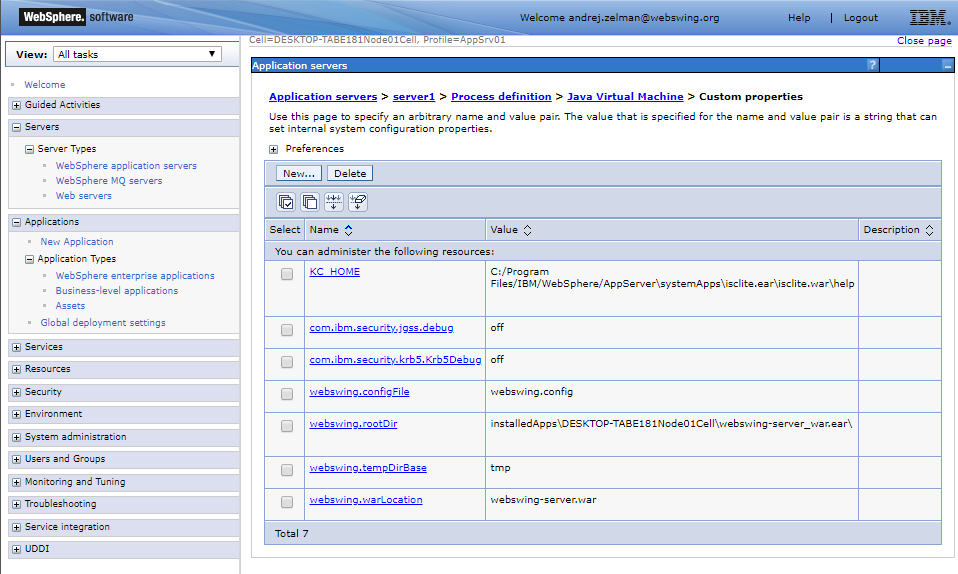
Servers>Server Types>WebSphere application servers>server1>Server Infrastructure, Java and Process Management, Process Definition>Java Virtual Machine>Custom Propertiessimilarly to following:
webswing.warLocation=webapps/webswing-server.war
webswing.configFile=webswing/webswing.config
webswing.tempDirBase=webswing/tmp
webswing.rootDir=webswing
The standard evaluation distribution includes the Webswing Demo drop-in under
webswing/apps/webswing-demo. Relative application paths in its configuration resolve from that installed drop-in folder.
In case of issues analyze the logfiles.