

Oracle Forms
Setting up Oracle Forms application with Webswing is easy and well integrated. You can quickly set it up using 'Quick start wizard' in Admin Console if you are using standard version of Wesbwing.
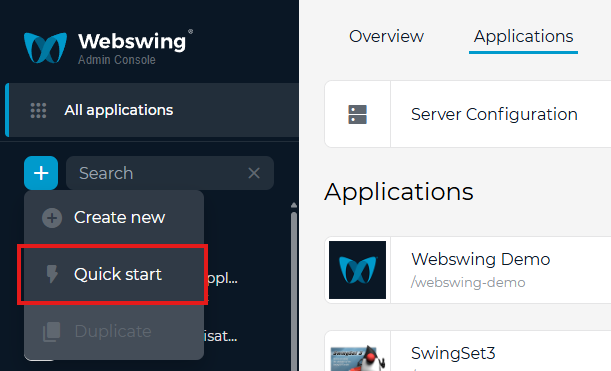
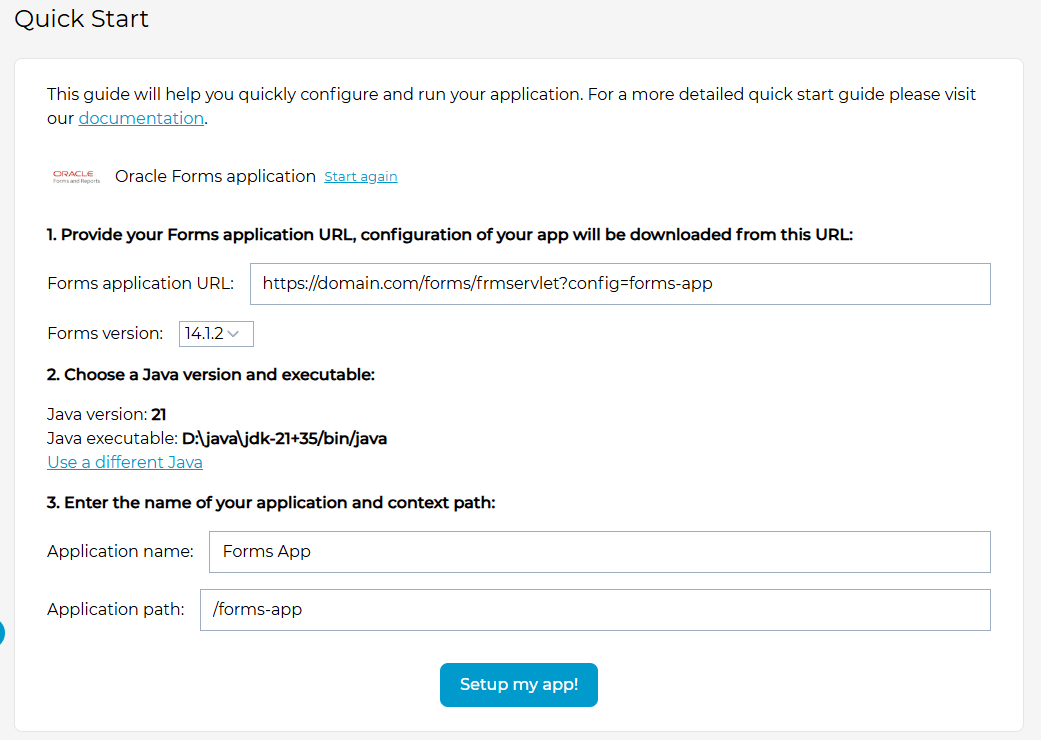
In Quick start wizard choose 'Oracle Forms' application. Next fill the URL where your Forms application is running. The URL should be in this format: <domain>/forms/frmservlet?config=<app_config>. Currently Webswing supports versions 14.1.2, 12.2.1.19 and 11. Provide application name, click Setup my app and Webswing takes care of the rest.
You can also configure your application manually. Create a new application and in App Config change Launcher Type to OracleForms.
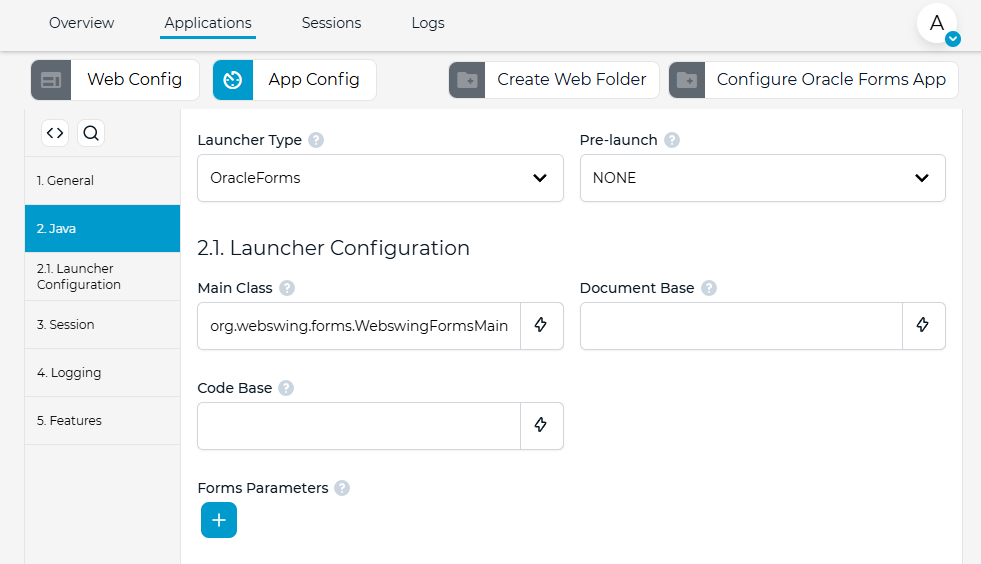
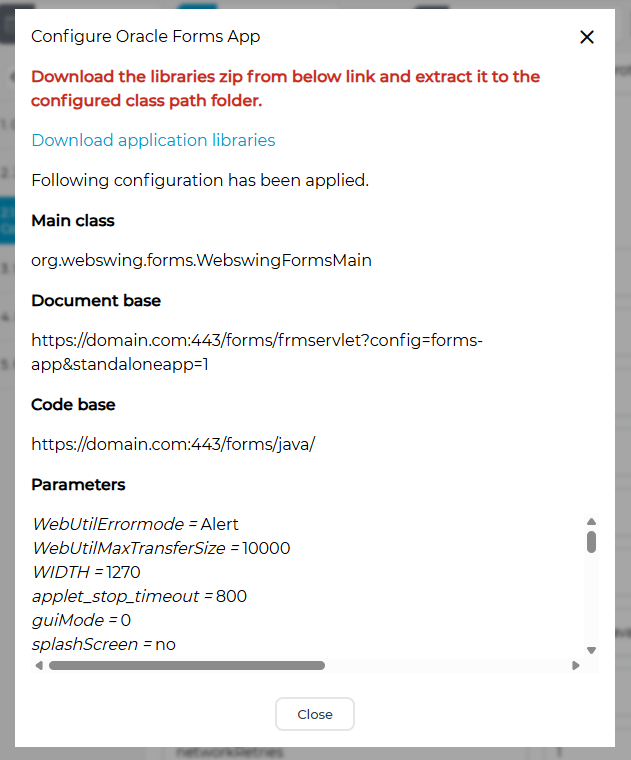
Notice that main class is automatically set to org.webswing.forms.WebswingFormsMain, this is needed for Webswing to correctly handle Oracle Forms app. Next you need to configure Code Base, Document Base, Forms parameters and include Forms jar libraries in classpath. To automate this configuration step there is an action called 'Configure Oracle Forms App' in the top right corner. This is similar to the quick start wizard and helps you get the required configuration from your Forms application server.
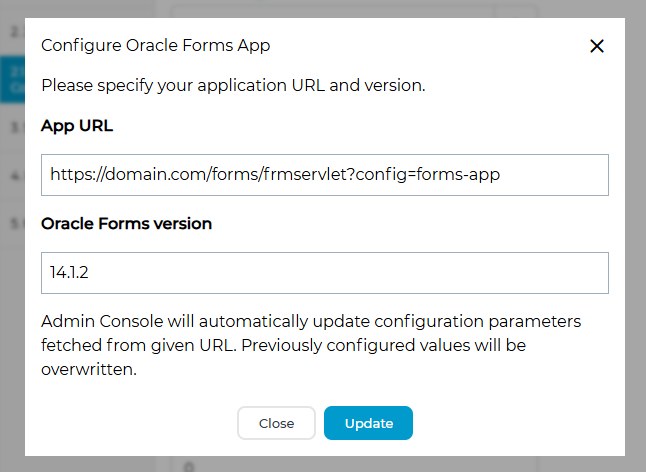
Fill the required fields and Webswing will download the information from the provided URL. If successfull, you will see which configuration fields were automatically updated in your current App Config. Please note that you must download the jar libraries from the provided link and copy them to the folder which your class path configuration points to.
Now you are ready to start your Oracle Forms application.